App Store Competitor Analysis for ASO
Research competitor keywords, inspect their App Store ads, and follow their social posts and mentions from one Mac workspace.
On this page
A competitor’s App Store listing is only one part of how it gets attention. Its ads show the creative it runs in supported App Store markets; its social posts and mentions show the messages people encounter outside the store.
AppHunch brings that research into the competitor profile. Move between Listing, Content, Ads, and Keywords to compare acquisition creative, public content, and search visibility in the same Mac workspace.
Inspect their App Store advertising
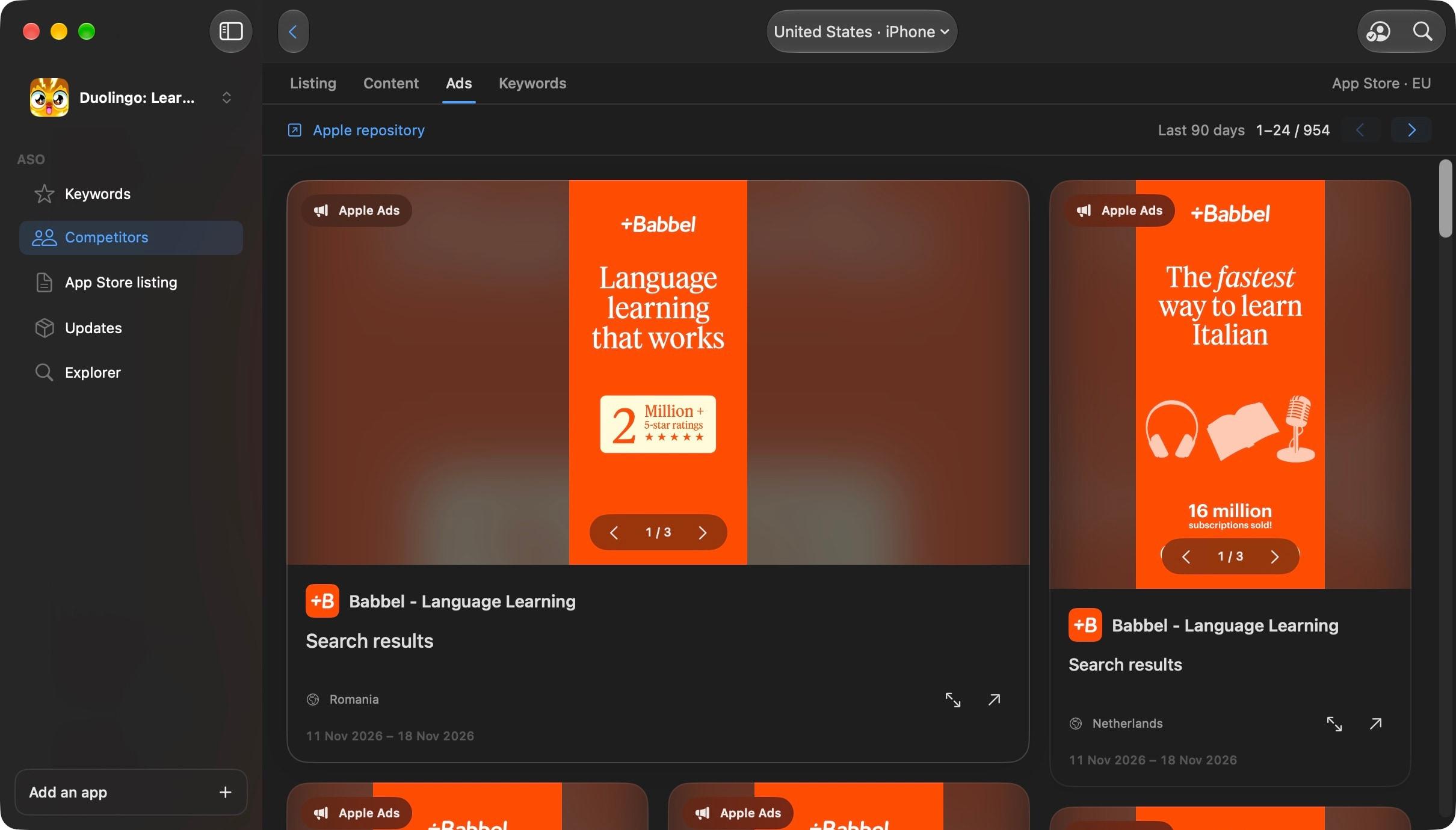
Open Ads in a competitor profile to browse the records available from Apple’s Ad Repository over the last 90 days. Cards show available creative assets alongside the country, placement, and first and last impression dates.
In the Babbel capture, the gallery includes search-result ad records for several European markets. You can inspect how the creative changes between countries and open an asset at its original source. The gallery is acquisition research, not access to the advertiser’s campaign account.
Use a shared search to choose what to inspect
Begin with a term related to your product and look at the apps found for it. A direct competitor might solve the same task; another result may serve a different task using similar wording. Both are useful to inspect because they explain the search context.
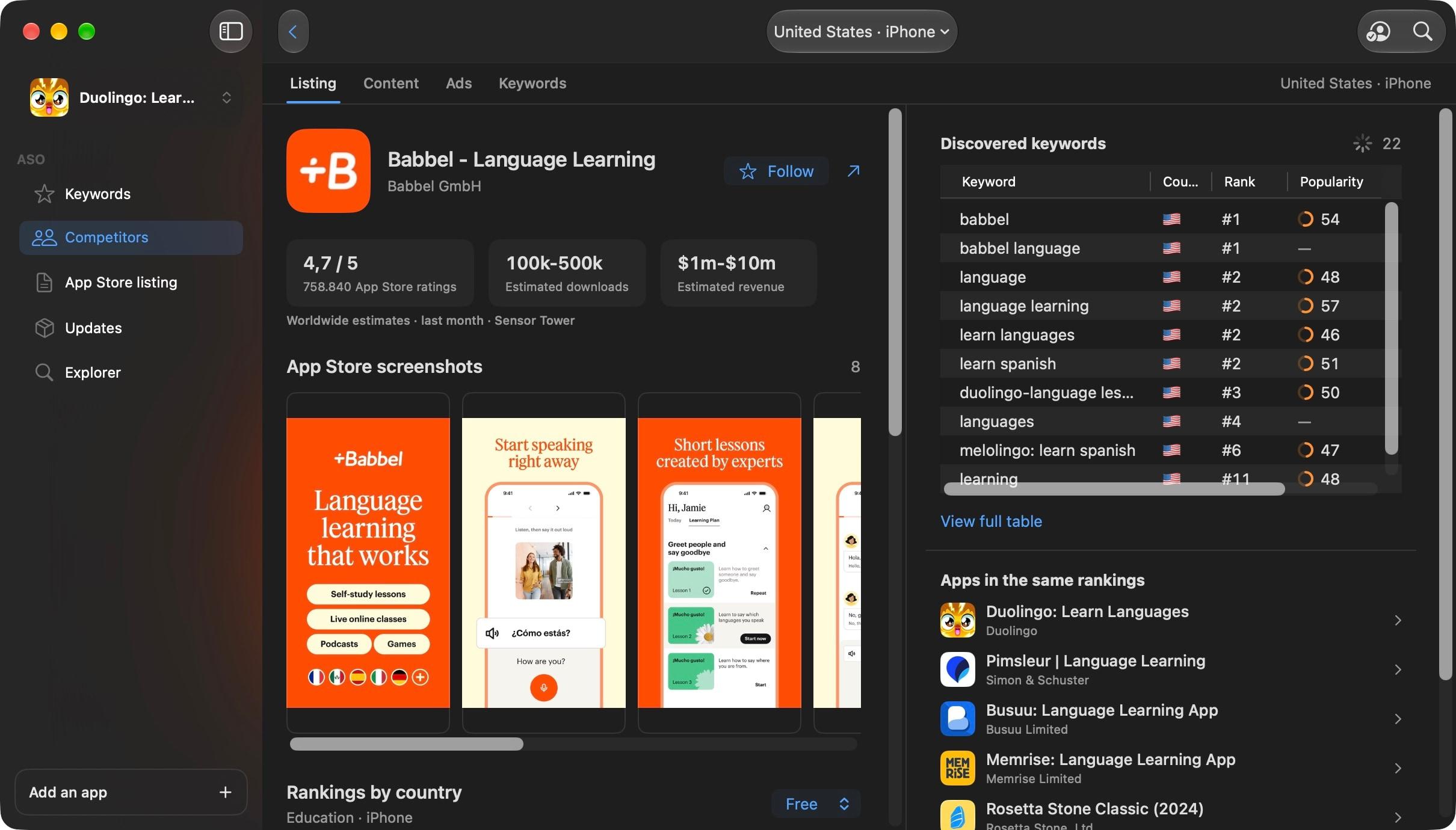
In the Babbel capture, “learn languages” and “learn spanish” are both observed at #2 in the United States. Compare the leading apps to understand whether the same learning task is being served. These are saved observations, not live ranking claims.
Compare what the listing actually demonstrates
Read the public title, description, app information, and screenshots. Look for the first task the screenshots demonstrate, which audience the wording addresses, and whether the visible product supports the promise made in the copy.
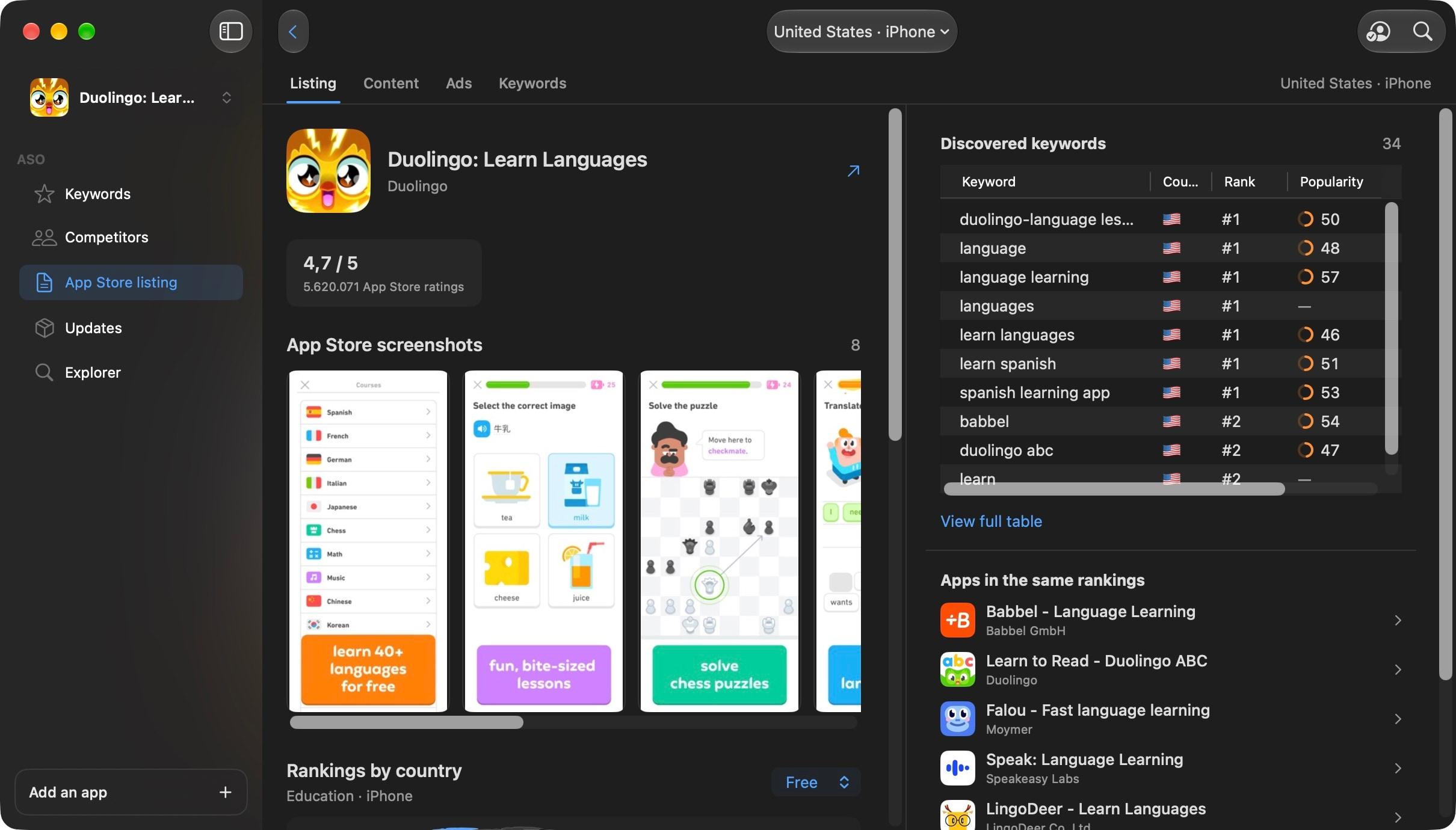
The Babbel screenshots in the cover lead with language learning, speaking right away and short lessons created by experts. That gives the search results a concrete product promise. Compare it with Duolingo’s public listing and the specific learning workflow your own app demonstrates.
Separate a discovered term from private metadata
The discovered-keyword table shows terms, countries, observed positions, and available popularity and difficulty. Use it to choose a term to open in keyword research, where you can inspect the wider result context.
The table is not a copy of the competitor’s private keyword field. Seeing a term associated with an app tells you about the observation, not which hidden metadata caused it. Before using a candidate, check whether your product serves the same intent and how the other leading apps present themselves.
Use the profile review to produce a specific output
A useful output can be a phrase to research, a country to inspect, or a difference to make clearer in your own screenshots. For example, a narrowly focused product might need to demonstrate its main task earlier rather than imitate the broad feature set of a category leader.
Take that output into the matching view: keyword research for a term, country rankings for a storefront, or localized listings for a wording change. This keeps the review focused on work you can carry out on your own app.
Review a competitor with a specific question
Choose a relevant result
Start from an app found around a term you are researching.
Inspect its positioning
Read the public listing and screenshots to understand the task and audience it presents.
Investigate a candidate term
Return to keyword research with a phrase that genuinely relates to your app.
Record the implication
Decide whether the research points to a listing edit, another market, or no change at all.
Questions & answers
Do I need App Store Connect access to inspect competitors?
No. Public competitor research works without connecting your own App Store Connect account.
Can I see another app’s private keyword field?
Public keyword observations are not the app’s private keyword field. AppHunch shows observed terms with their available source and market context.
Can I inspect competitor ads and social content in AppHunch?
Yes. Competitor profiles include Ads for Apple Ad Repository records, and Content for available TikTok, Instagram, and Facebook posts and mentions. Coverage differs by source; these are public observations rather than private campaign or account analytics.
Follow their posts and the conversation around them
Content collects available TikTok, Instagram, and Facebook material around the competitor. Separate official publications from mentions, filter by platform, and sort by recency or interactions.
Open a post to inspect its text, preview, author, publication date, and available views, likes, comments, or shares. The original-source link lets you inspect the publication in context. This adds a creative and messaging view that a keyword table alone cannot provide.