Competitor App Store Ad Research for Mac
Inspect competitor App Store ads with creative assets, placements, countries, and impression dates from Apple’s Ad Repository.
On this page
Competitor ads show a different version of the product story from a listing you visit deliberately. The creative has to earn attention in its placement, often leading with one use case, visual, or promise. AppHunch lets you study that creative alongside the app’s public listing and keyword research.
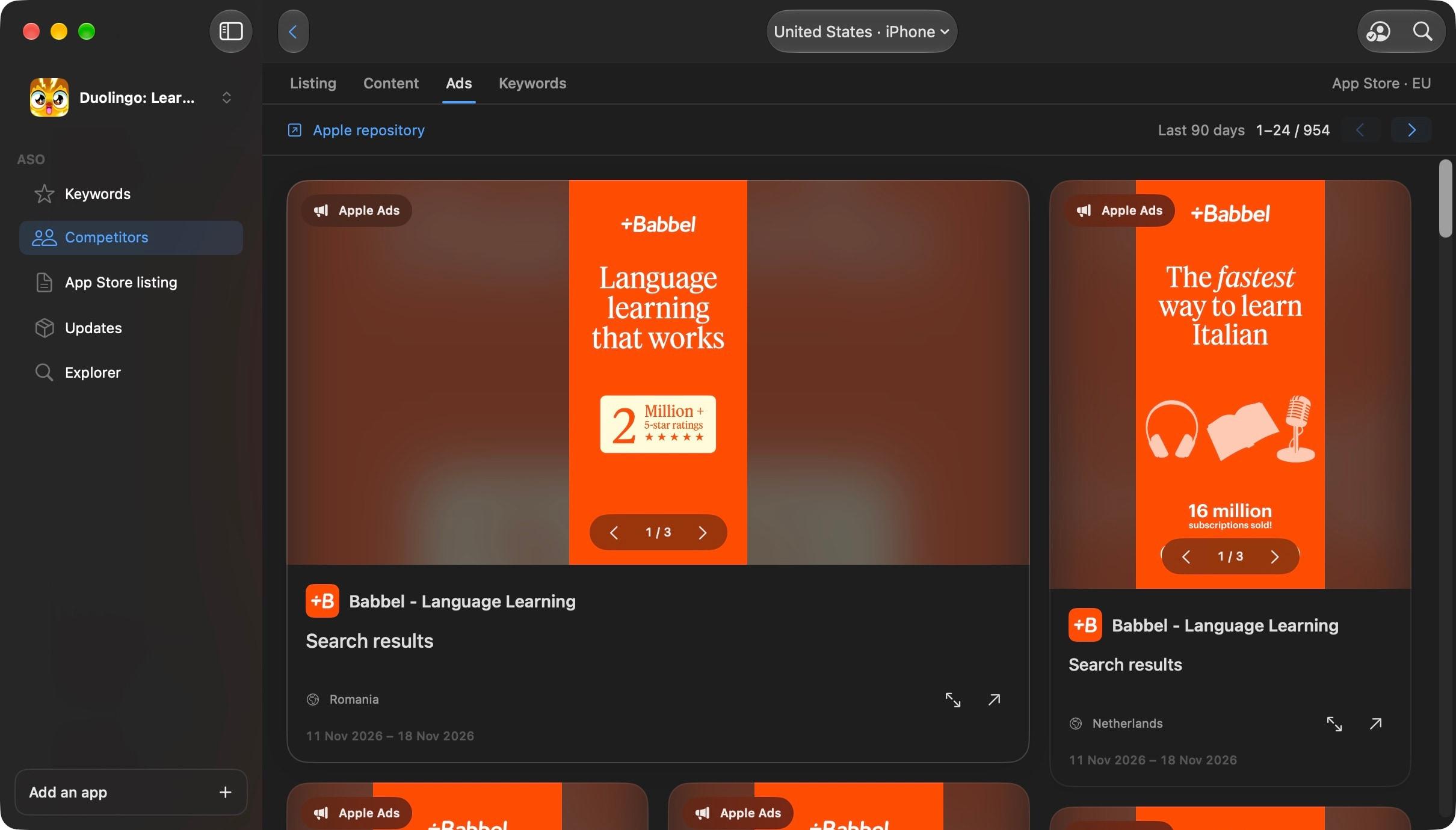
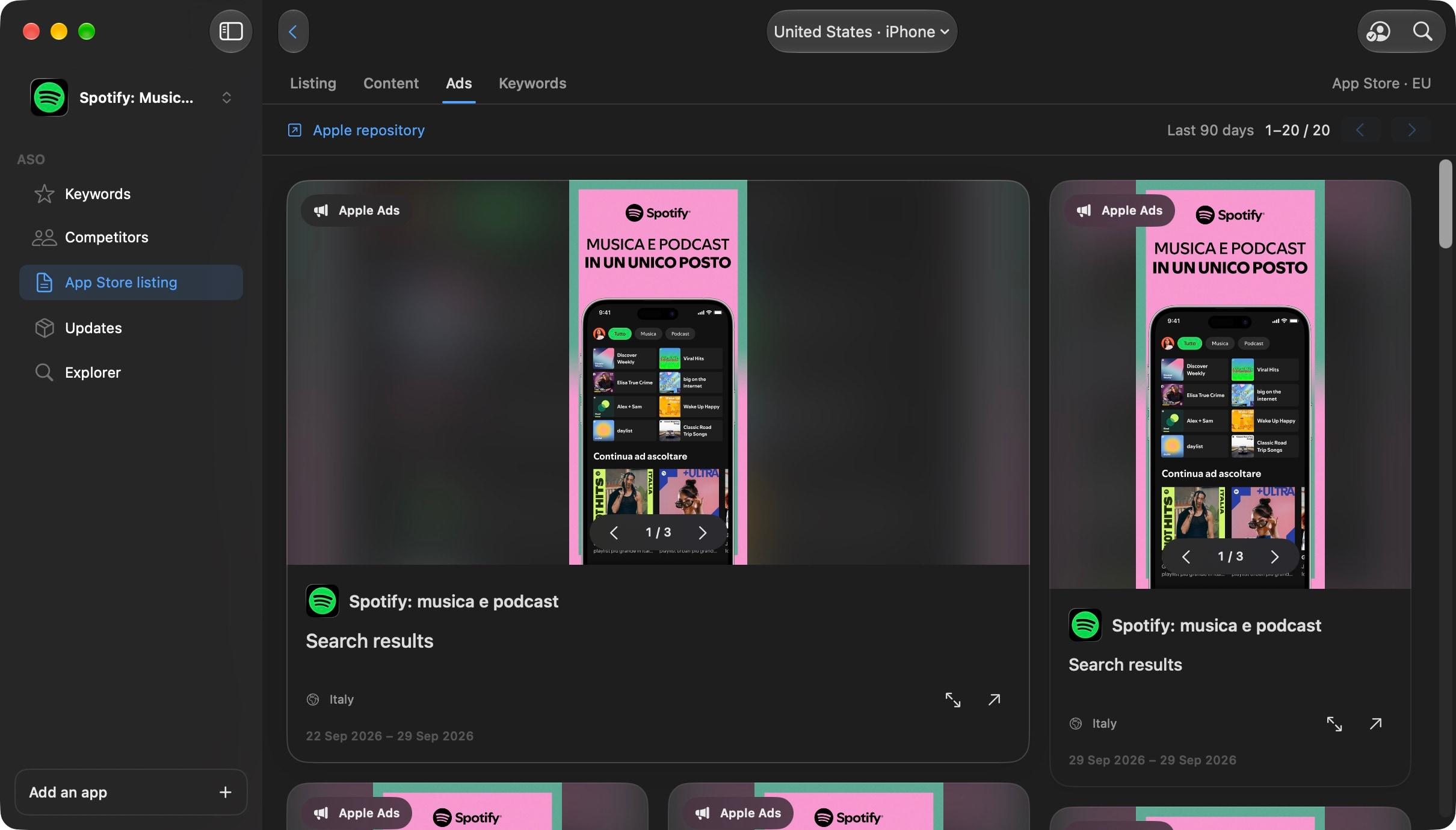
Open Ads from a competitor profile to browse Apple Ad Repository records for the last 90 days. Available records include the country, placement, first and last impression dates, and creative assets.
Look at the message the creative leads with
Inspect the available asset images, not just the app name. Look at which task appears first, whether the text focuses on a specific audience, and how the visual demonstrates the claim. Assets can be opened at their source for a closer look.
The Babbel gallery shown above includes localized creative across countries. Comparing those records can reveal where the advertiser uses different language or a different visual sequence. Treat that as a starting point for your own creative research, rather than evidence that a particular asset is the best performer.
Read the country and placement beside the asset
The ad card keeps the market and placement next to its creative. Records may identify search results, the Search tab, Today tab, or product pages, according to what the repository returns. Different placements answer different questions about where the app appears.
| Record field | What it tells you |
|---|---|
| Creative assets | The visual material supplied for that ad record. |
| Country or region | The covered market attached to the record. |
| Placement | Where the ad was placed in the App Store. |
| First and last impression dates | The recorded endpoints for impressions, not a day-by-day performance report. |
Use the dates to keep the review specific
The view queries a rolling 90-day window and paginates the returned records. Review the recorded dates when comparing creative: two similar cards may refer to different markets or periods.
The first and last impression dates do not establish uninterrupted delivery between those dates. Nor does a long-running record by itself reveal profit, spend, or conversion. Use the dates to scope your investigation, then compare the product positioning and local listing.
Bring a creative question back to your own app
Finish the review with something concrete to investigate: a clearer first screenshot, a use case to demonstrate earlier, or a localization whose wording needs attention. The aim is to improve the evidence for your own product’s promise.
Keep keyword research nearby to distinguish the audience implied by a creative from the searches your app is observed for. The social Content view adds another angle: what the competitor publishes and what people mention outside the store.
Review a competitor’s ads in four steps
Open the competitor profile
Choose Ads to load the available Apple repository records for that app.
Inspect a creative
Open available assets and read the country, placement, and recorded dates.
Compare in context
Compare the creative with the competitor’s listing, local wording, and public content.
Define your own creative test
Choose a specific message or demonstration to improve in your own product presentation.
Questions & answers
Which ad networks does this view cover?
The Ads view uses Apple’s Ad Repository, covering returned App Store ad records in supported EU markets. It is not a combined Meta, TikTok, and Google ad library.
Can I see competitors’ ad spend or ROAS?
No. The view shows available public creative and delivery-context records. It does not expose private budgets, conversion results, targeting settings, or return on ad spend.
What if a competitor has no records?
An empty result means no records were returned within the view’s covered countries and 90-day period. It does not establish that the app has never advertised elsewhere.