Change the period. Keep your momentum.
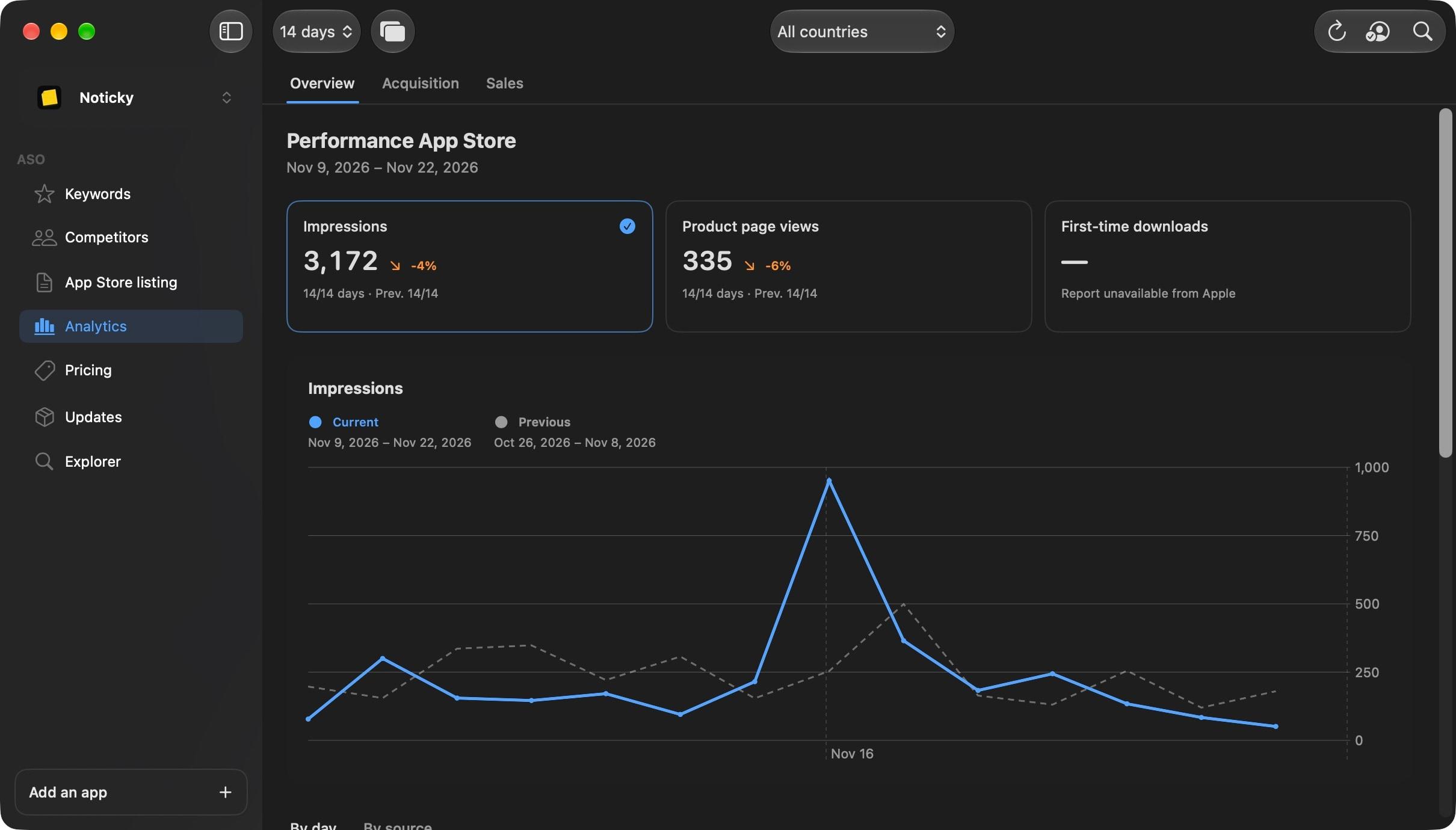
Switch between periods already in your local reports instantly. Keep the previous period and report coverage in view.
Research keywords, inspect competitor App Store ads and public social content,
and manage analytics and pricing in one native Mac workspace.
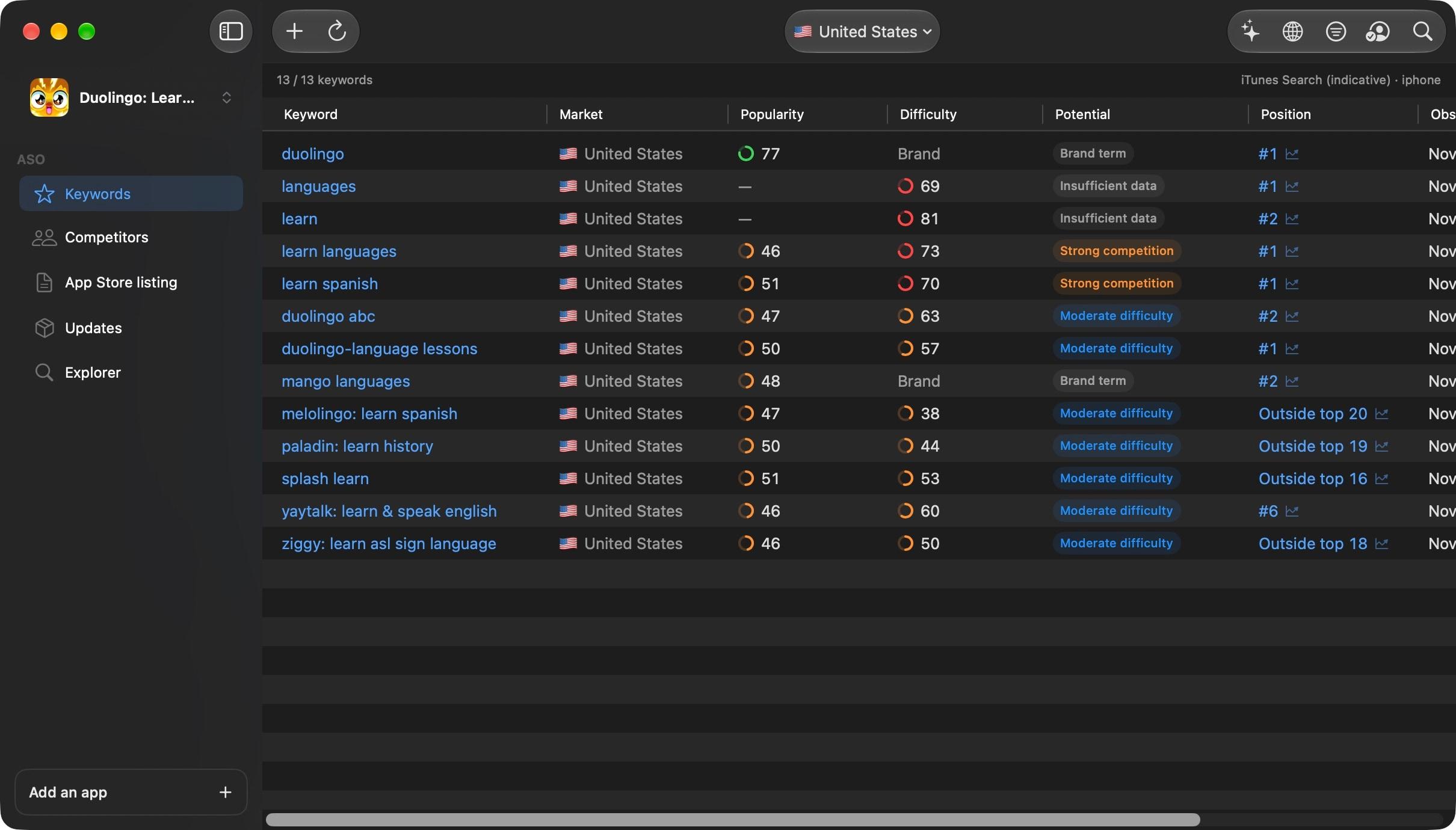
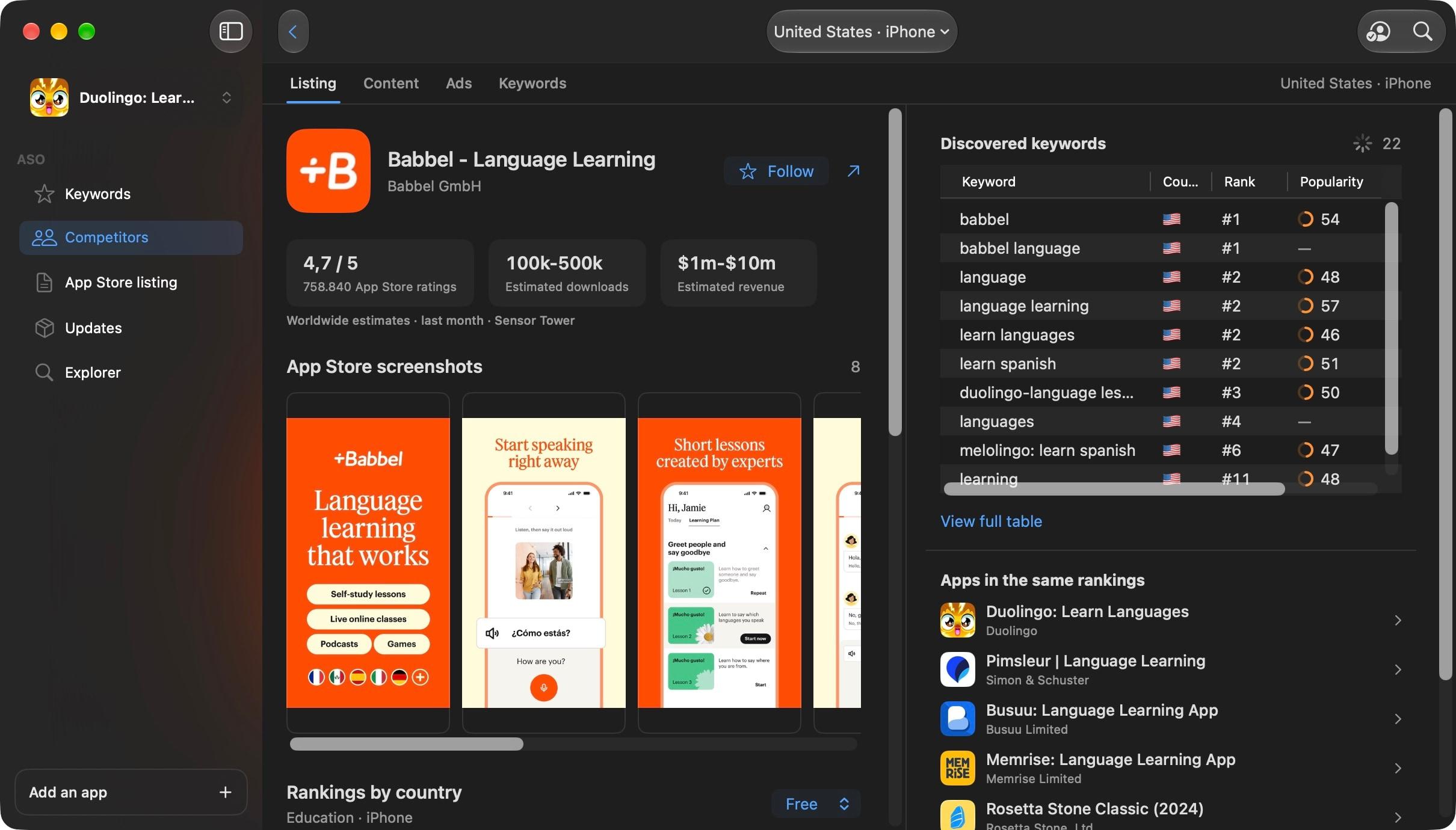
Compare the available scores in the same market, with the observation date still in view.
Built for Mac. Connected to your App Store workflow.
Watch the workflow
A short walkthrough of AppHunch on Mac.
Research. Competitors. Ads. Social. Analytics.
Recorded in the English Mac app. Edited for time. No audio.
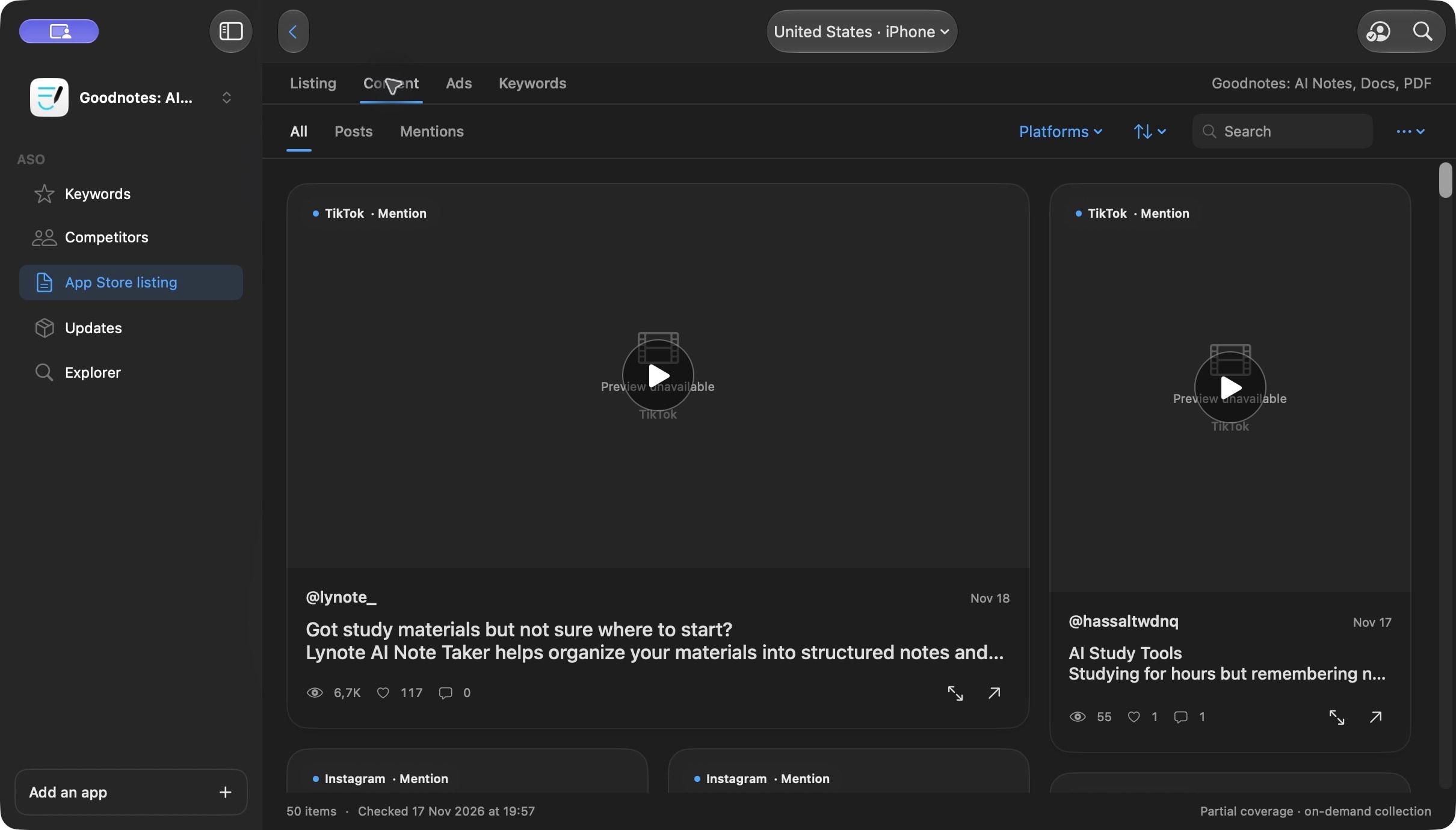
Start with observed keywords and market context. Open a competitor’s listing, then inspect available App Store advertising records and move through a creative’s assets. Review collected social mentions and open a mention’s text and dated public metrics. Finally, return to Noticky’s own analytics and switch from impressions to product page views.
Sources and missing reports remain visible. Social previews may expire. Public competitor data does not reveal private spending or conversions.
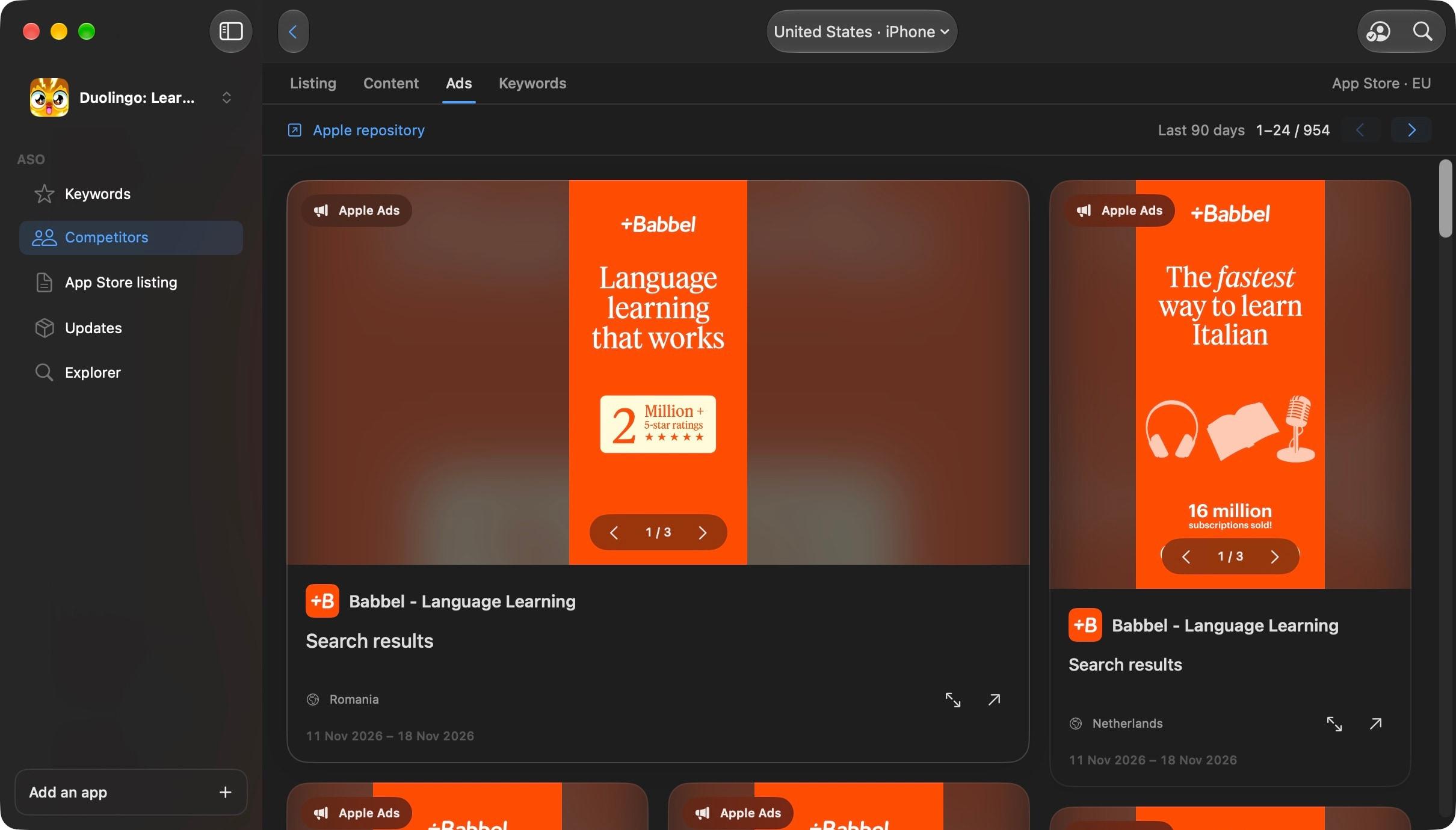
Their App Store ads. Their public social content.
Apple ad records from supported EU markets over the last 90 days.
Open their App Store ads beside their listing, keywords, and social content. Keep the research connected to the app.
Check your numbers, review your prices, and work on your listings in AppHunch, without reopening App Store Connect for every task.
See what’s inside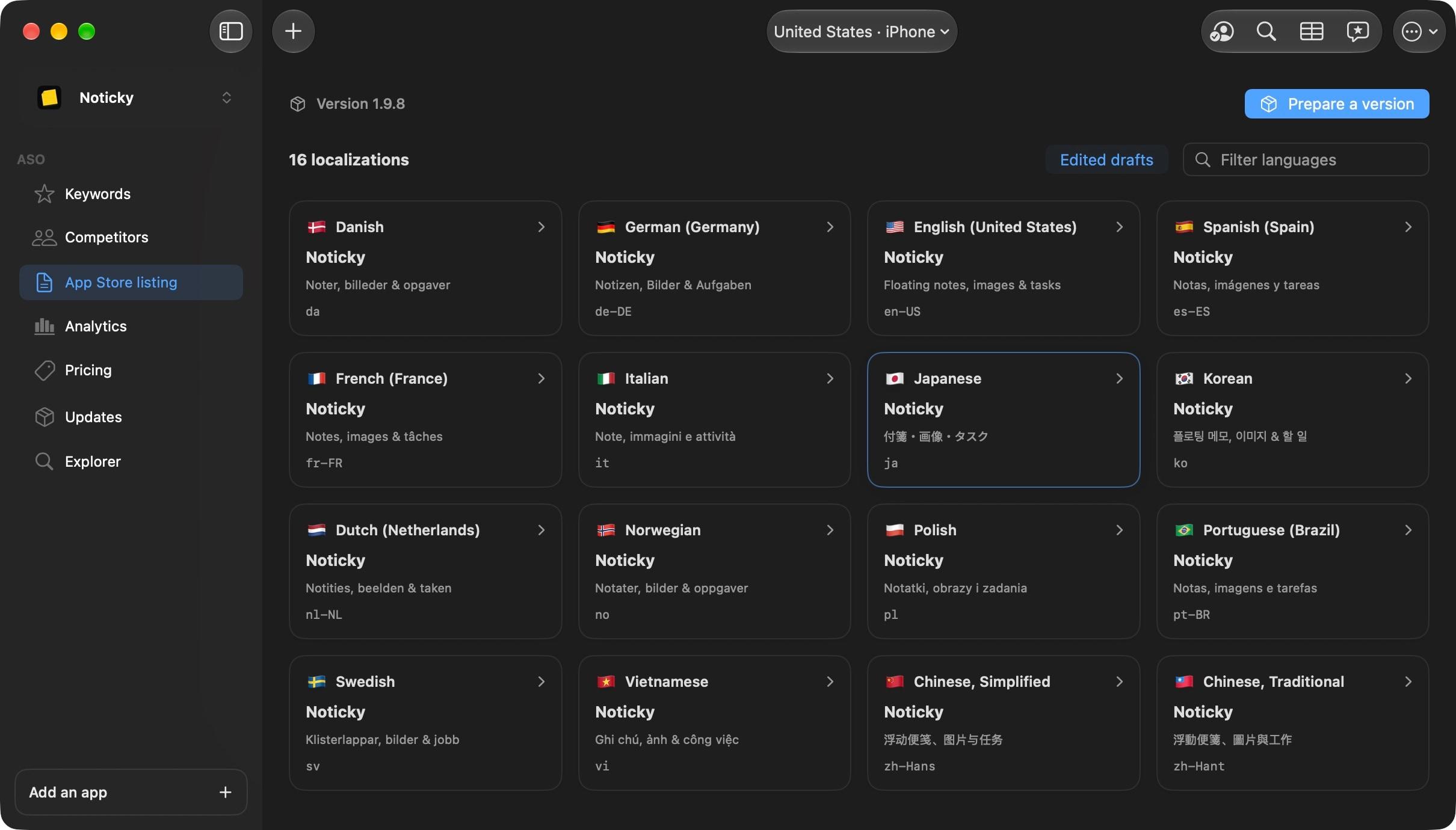
Load your reports once. Explore without the wait.
Your App Store Connect reports stay cached on your Mac.
Impressions, product page views, and first-time downloads. Compare periods and filter by country to understand where things are moving.
Switch between periods already in your local reports instantly. Keep the previous period and report coverage in view.
Move from the overall picture to a specific country and see the available detail.
Bring acquisition and release context into the same workspace as your research.
Paid apps, in-app purchases, and subscriptions. Downloaded reports stay on your Mac, so moving between cached periods is instant.
See customer spending across your products.
Understand the proceeds reported by Apple.
Keep returns in view alongside your sales.
Break down by product and country. Choose a reporting currency. Compare periods.
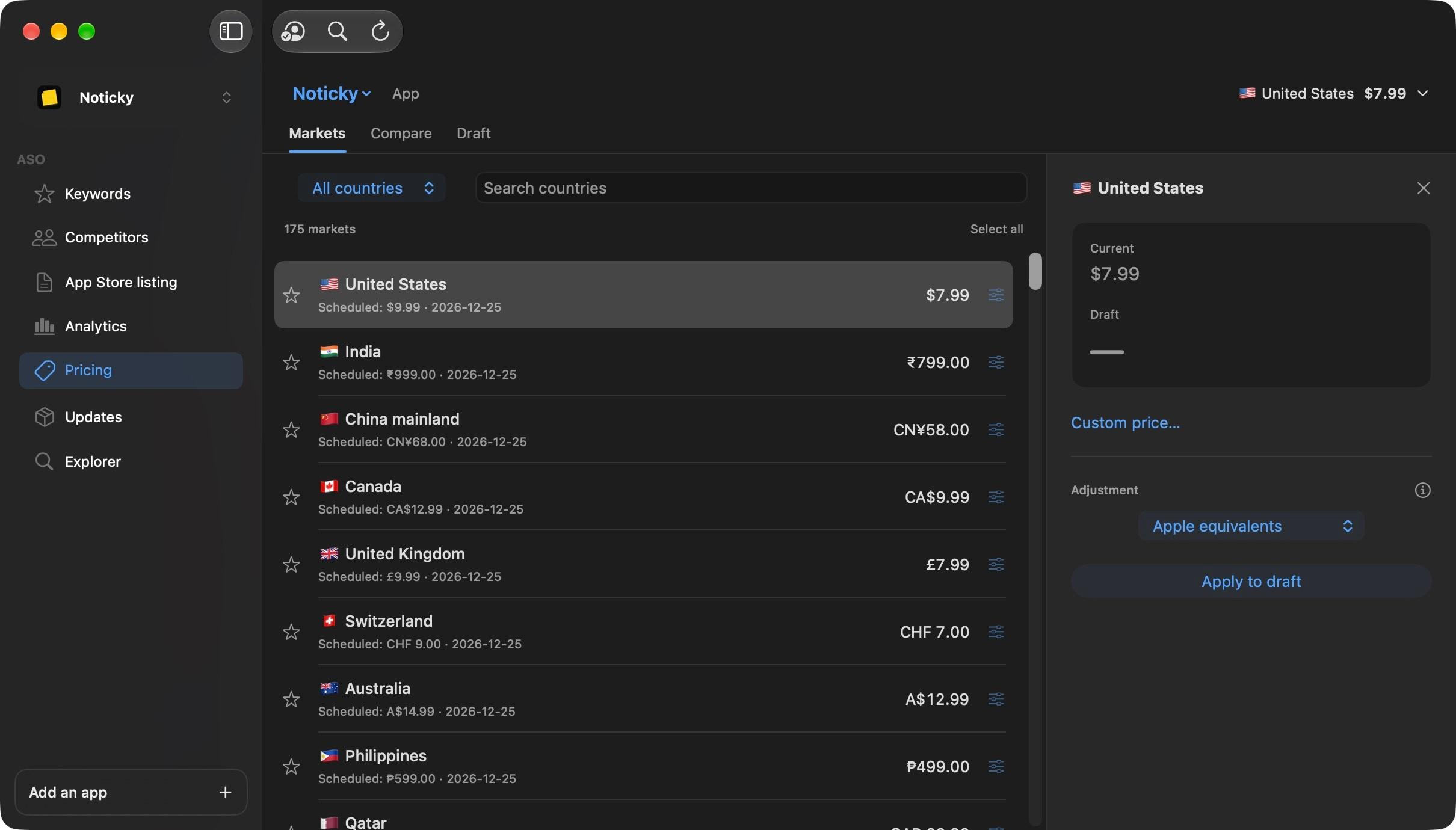
A price is a local decision. See current and scheduled prices by country, compare your options, and prepare changes before they go live.
App, in-app purchase, and subscription prices. Current and scheduled, in local currencies.
Work with Apple equivalents, purchasing-power comparisons, or a custom price.
Keep changes in a draft. Review the affected countries, then publish now or schedule for later.
Explore keywords, understand the competition, and look at the markets around your app. Research and results, in the same place.
Compare the available scores in the same market, with the observation date still in view.
Read the listing, explore the screenshots, and look at the keywords observed for that app.
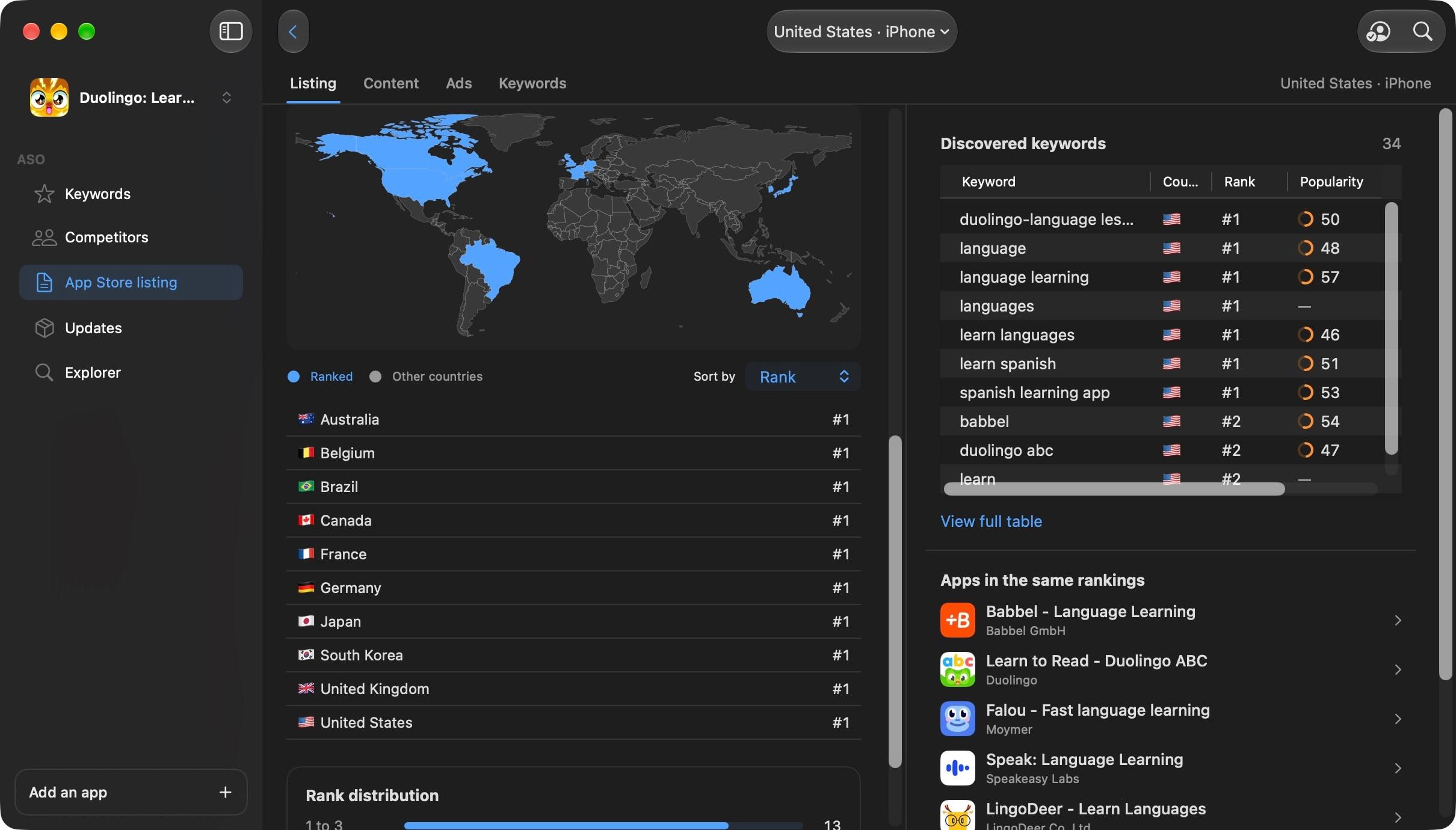
Explore the available country rankings before deciding which market deserves a closer look.
Move between your own apps, listings, analytics, and pricing in one native workspace. Keep the context when you switch tasks.
Bring your apps togetherWork on titles, subtitles, keywords, and descriptions across your app’s languages. Keep drafts on your Mac before reviewing changes.
Follow an update and compare the available keyword positions before and after your release.
Read App Store reviews, explore competitor listings, and return to the terms and markets you’re following.
Public keyword and competitor research works without connecting your account. Connect App Store Connect to work with your own apps, listings, analytics, sales, and pricing. Sales reports also require your vendor number.
AppHunch brings the supported day-to-day work into one Mac workspace. Apple remains the source for your app and reporting data, and App Review submission remains a separate step.
No. Listing and pricing edits start as drafts. You review the selected changes before sending them to Apple. Pricing changes can be published immediately or scheduled.
AppHunch is being prepared for early access. There is no public launch date yet. Join the waitlist to receive an invitation when a place becomes available.
Your email is added to the early access list. When a place is available, we’ll email you an invitation with access and setup instructions. Joining does not give immediate access, and no payment details are required to join. You can start with public ASO and competitor research, then connect App Store Connect to work with your own apps.
AppHunch requires macOS 14 Sonoma or later. The app interface is available in English and French. App Store listings and collected competitor content keep their original language.
Analytics and sales depend on the reports Apple makes available. AppHunch shows report coverage and missing days. Public keyword positions are indicative iTunes Search observations; difficulty is an estimate, and popularity is shown when Apple Ads data is available.
From Try Hard
From the studio behind Noticky and Noticky Wall. AppHunch brings App Store research and the work of managing an app into the same Mac workspace.
About AppHunchKnow your numbers. Shape your prices. Find your next move.
Join the waitlist