App Store Metadata Editor & Localization
Work on localized titles, subtitles, keywords, and descriptions, with drafts kept on your Mac.
On this page
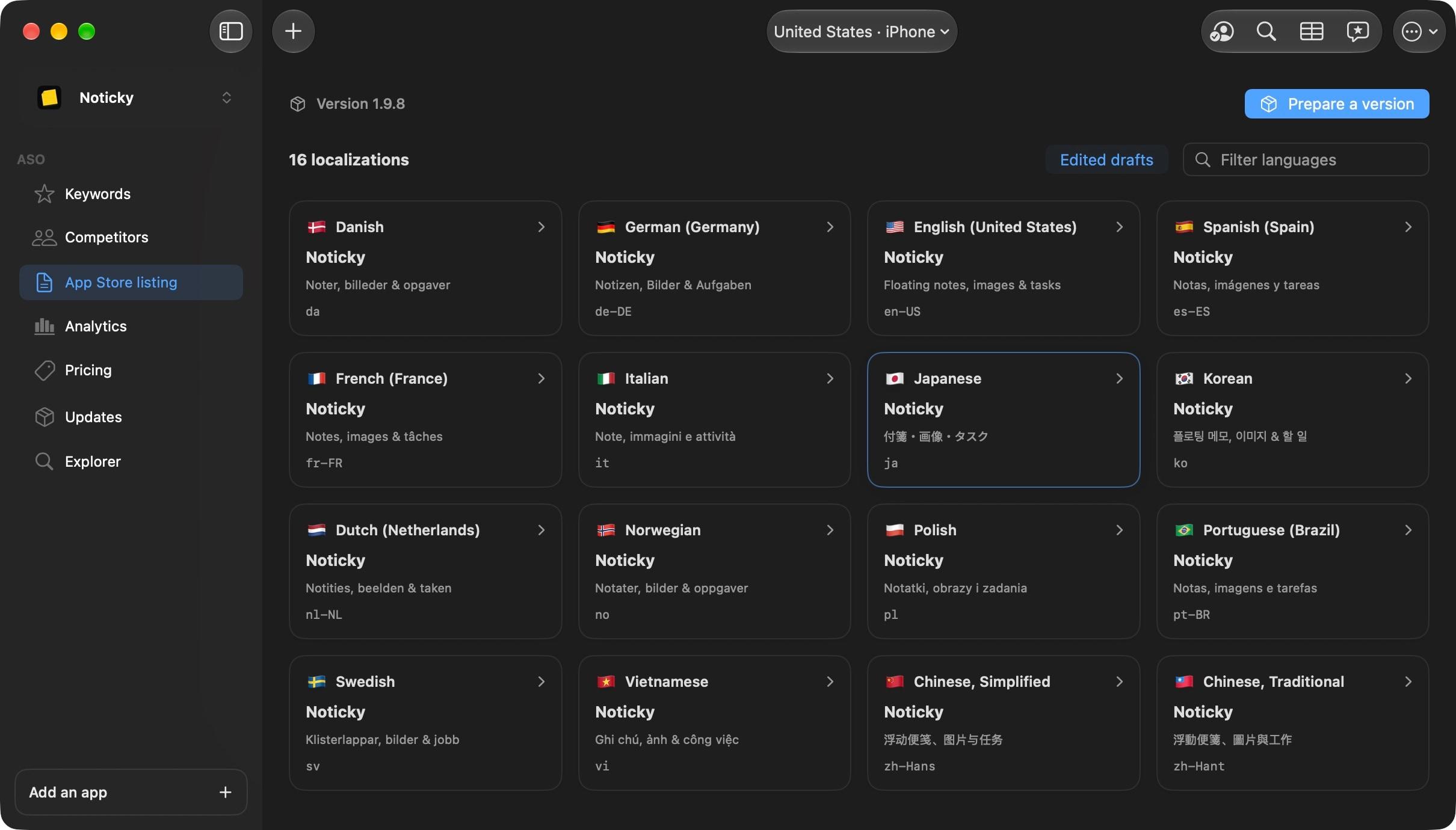
The Noticky capture shows version 1.9.8 and 16 localizations, including en-US, fr-FR, ja, and zh-Hans. Each language card gives a title and subtitle, so you can spot which draft you want to open without browsing through a separate App Store Connect page for every language.
From there, AppHunch lets you edit the supported fields, filter to modified drafts, and review the changes you intend to send. Unfinished wording stays on your Mac.
Review the localization that needs attention
Use the language filter to find a locale, or the modified-drafts filter to return to work you have already started. In the capture, the en-US subtitle is “Floating notes, images & tasks”; the fr-FR card presents its own wording rather than sharing one global field.
If you are changing the way Noticky describes tasks, review the relevant subtitle and keyword draft together. Choose the target language deliberately: a keyword research storefront and a listing locale are related context, but they are not the same selector.
Work within the editor’s field limits
The editor keeps limits attached to the fields while you prepare a draft. It supports the title, subtitle, keywords, description, release notes, promotional text, support URL, and marketing URL where those fields are available for the app and version.
One detail matters for localization: AppHunch checks the keyword field by its UTF-8 byte length. Accented characters and non-Latin text can occupy more than one byte, so a keyword draft can reach the limit before a simple visible-character count would suggest.
| Field | Limit checked in the editor |
|---|---|
| Title and subtitle | 30 characters each. |
| Keywords | 100 UTF-8 bytes. |
| Description and release notes | 4,000 characters each. |
| Promotional text | 170 characters. |
| Support and marketing URLs | URL validation when a value is supplied. |
Keep a draft separate from the remote listing
AppHunch stores draft values by app, device, and locale. The upload review collects fields whose draft differs from the connected listing, so a local editing session does not automatically send every field or language.
Review the target version and selected fields before sending. Availability depends on the app’s current publishing state. Preparing a version, updating metadata, submitting to App Review, and making a release public remain separate steps.
Record the edit you want to evaluate
Before sending a subtitle or keyword edit, write down the actual change and the terms you plan to follow. If you edit several languages, keep the locale and storefront explicit so that a later ranking comparison refers to the right market.
Release tracking can retain the version, date, changes, hypothesis, and terms for that review. Use the record to distinguish a wording change from a product update or another localization that shipped at the same time.
Prepare a localization for review
Find the locale
Choose a language card or filter to modified drafts in the connected app’s listing view.
Edit the needed fields
Keep the field limits in view, including the keyword field’s byte count.
Review the upload selection
Check the changed fields, target version, and locales before sending them to App Store Connect.
Record the release context
Keep the wording change and followed terms with the update you will review.
Questions & answers
Can I edit metadata for multiple localizations?
Yes. You can move between your app’s existing localizations and work on the supported fields in each one.
Why can my keyword draft reach the limit before 100 visible characters?
AppHunch validates this field using UTF-8 bytes. Some characters occupy several bytes. The title and subtitle use character counts, so their counters follow a different rule.
Does sending metadata publish my release?
No. Metadata updates, App Review submission, and public release are separate steps. Available fields also depend on the app and version.