App Store Price Localization for Mac
Review local prices, compare adjustments, and prepare changes for apps, in-app purchases, and subscriptions.
On this page
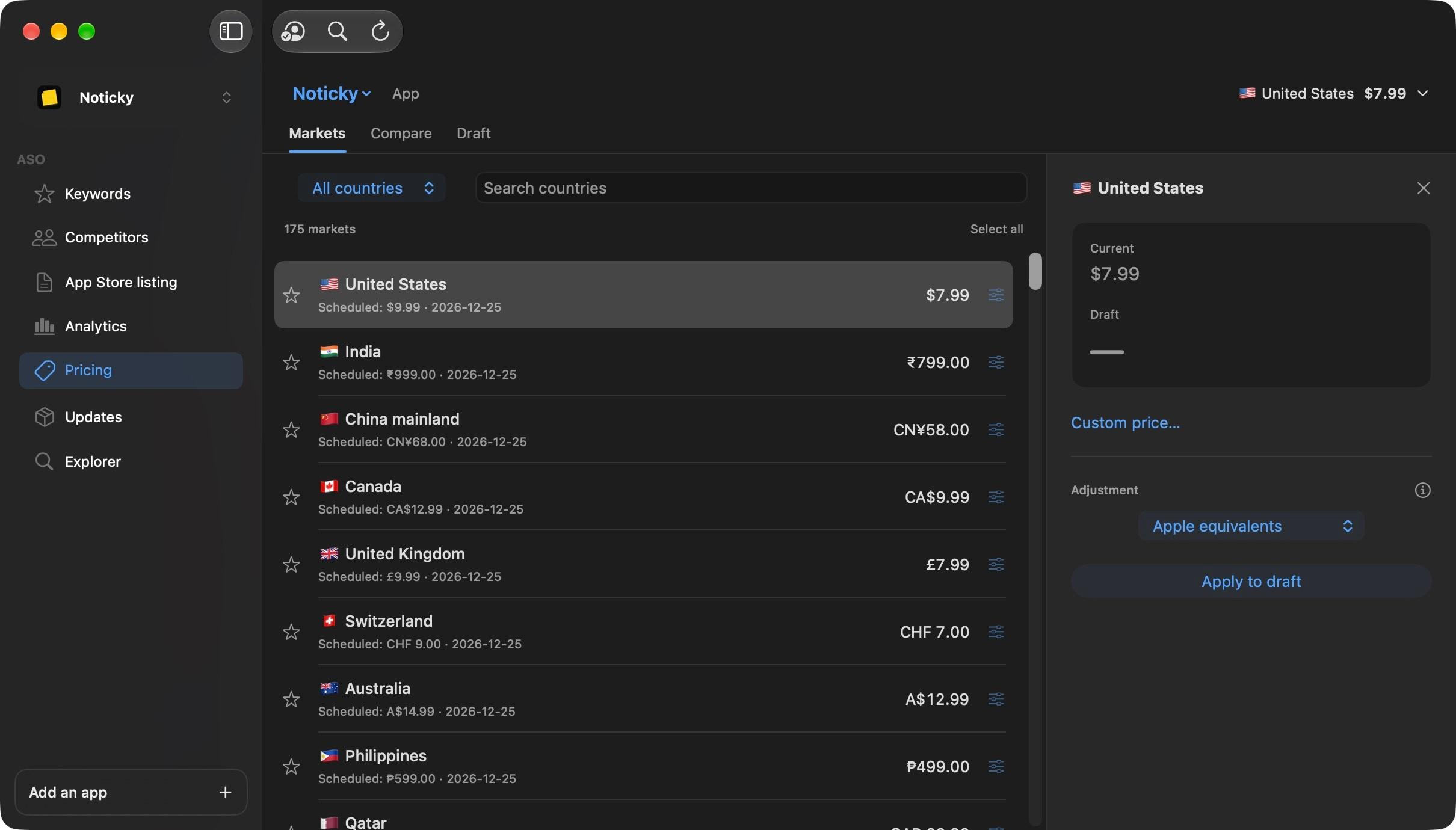
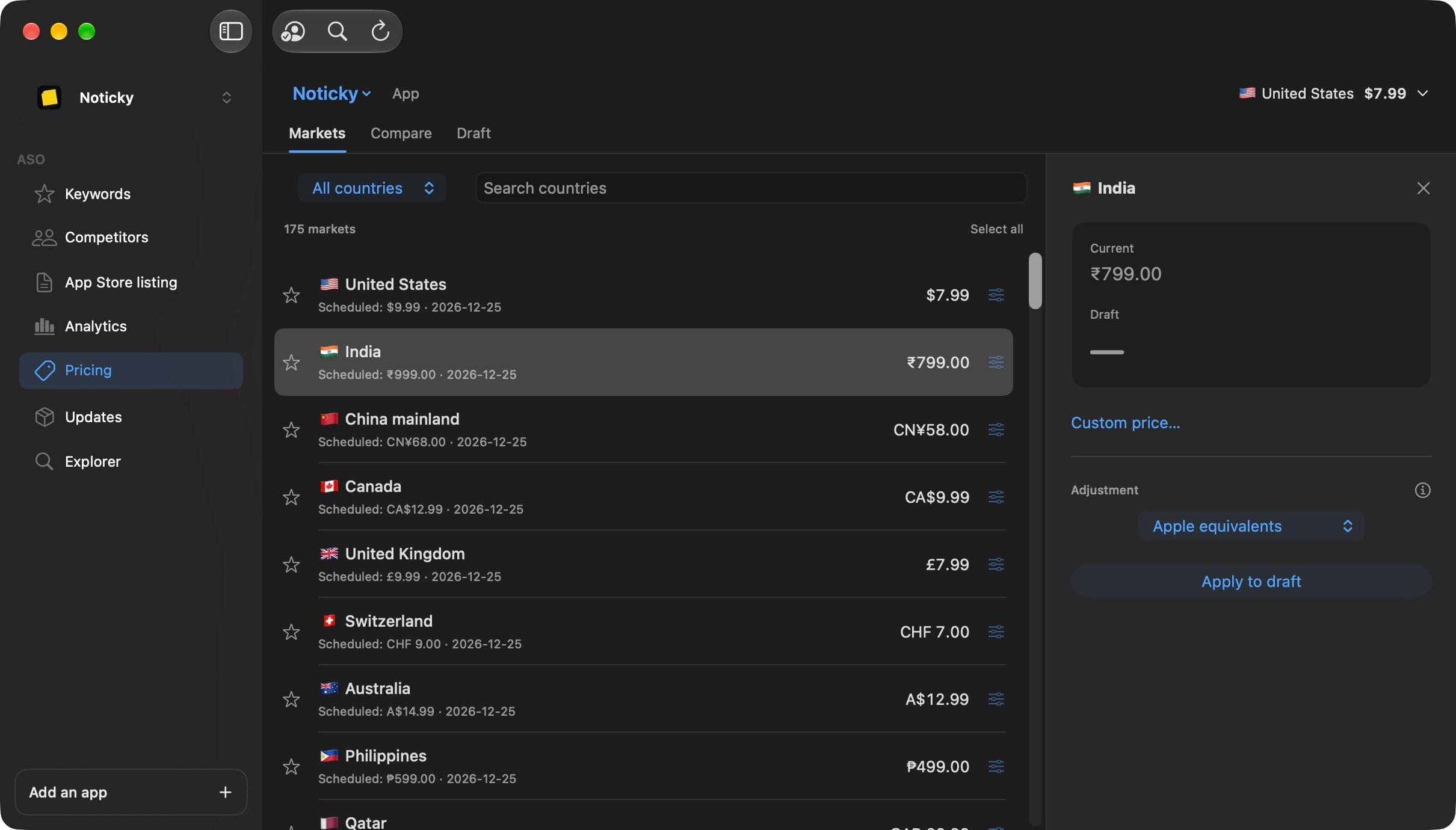
In the Noticky pricing capture, the United States reference price is US$7.99 and the selected Indian price is ₹799. The India panel shows the current amount separately from its empty draft. Selecting a country has not changed a price.
AppHunch separates the work into Markets, Compare, and Draft. You can inspect existing prices, prepare adjustments, and review the exact countries and price points before publication.
Review current and scheduled prices before editing
Choose the product, then open a country in Markets. Apps, in-app purchases, and subscriptions have their own available prices and publication options. The selected-country panel gives you the current amount and the draft amount separately.
The same Noticky capture includes a scheduled Turkish price beneath its current price. That is useful context before preparing another adjustment: the amount a customer sees now and an already scheduled amount are different records. The image is a saved view of that configuration, not a live price feed.
Know what each adjustment method calculates
Apple equivalents use the available equivalent price point for the reference. Purchasing-power adjustment starts from that equivalent and scales it by the local price-level index divided by the reference country’s index. AppHunch requires matching index years for that comparison.
A percentage adjustment starts from the current local price. A custom amount starts from the value you enter. The calculated target is then matched to an available Apple price point; if it matches the current point, there is no price change to add.
| Method | Starting amount |
|---|---|
| Apple equivalents | The Apple equivalent for the selected reference. |
| Purchasing power | Apple equivalent × local price-level index ÷ reference-country index, using matching years. |
| Percentage adjustment | Current local price × (1 + adjustment / 100). |
| Custom amount | Your proposed local amount, matched to an available price point. |
Review the draft against fresh product data
The review step checks the prepared changes against freshly read prices and available points before publication. It can identify a country with a conflicting scheduled change or a proposed point that is no longer valid. You can resolve the issue before sending the change.
Choose immediate or scheduled publication in the review. For an eligible subscription price increase, the preservation option keeps existing subscribers on their current price. It is not a general preservation switch for app prices, in-app purchases, or subscription decreases.
Review the result at the product and country level
After publication, use the affected country and product as the scope of your review. Sales reports can show gross sales, proceeds, and refunds, while analytics shows how attention and visits changed in the period.
A useful review asks whether the intended price is now in place and what happened to the relevant reports afterwards. Keep other changes in view: changing a listing, launching a feature, or receiving a different traffic mix can overlap with the pricing change.
From local price to reviewed change
Open the product
Review current and scheduled prices for the countries you care about.
Prepare an adjustment
Choose a reference or custom amount and inspect the available price points.
Review the draft
Check the affected countries, amounts, timing, and applicable subscription options.
Publish when ready
Send the reviewed changes immediately or schedule them, then return to your reports to review the result.
Questions & answers
Does pricing support more than subscriptions?
Yes. The pricing workspace covers apps, in-app purchases, and subscriptions, subject to the options available for the selected product.
Are changes published while I prepare them?
No. Preparation happens in a draft. You review the changes before choosing publication and timing.
When can existing subscriber prices be preserved?
The option applies to eligible subscription price increases. It does not apply to ordinary app prices, in-app purchases, or subscription price decreases. The review checks the selected product and proposed change.